A quick stop. A quick entry.
Add your amount, fuel company and odometer. Your default vehicle and the current time are already there.
FuelX.
Getting your journal ready…
Your daily commute. Your weekend ride. Know what you spend, how far you go, and the story behind every stop.
Every ride, together.
Your fuel journal, on your phone.
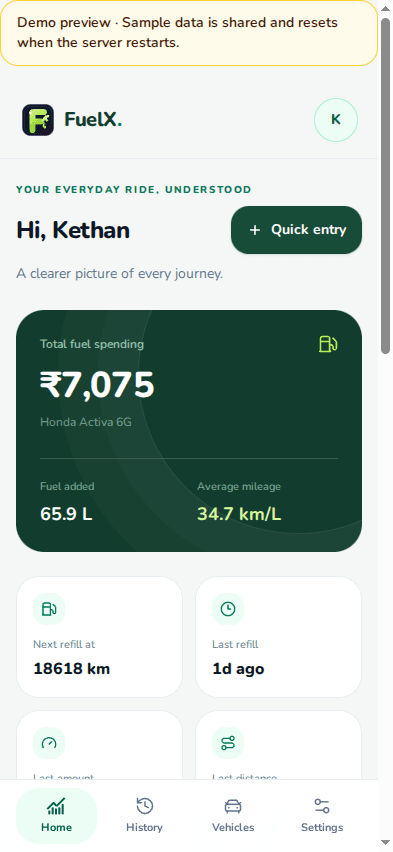
A simple routine for the stops you already make.
Pick your bike, scooter or car, set your usual mileage and choose a default vehicle.
Open quick entry, record the amount and odometer, then check the rate and station.
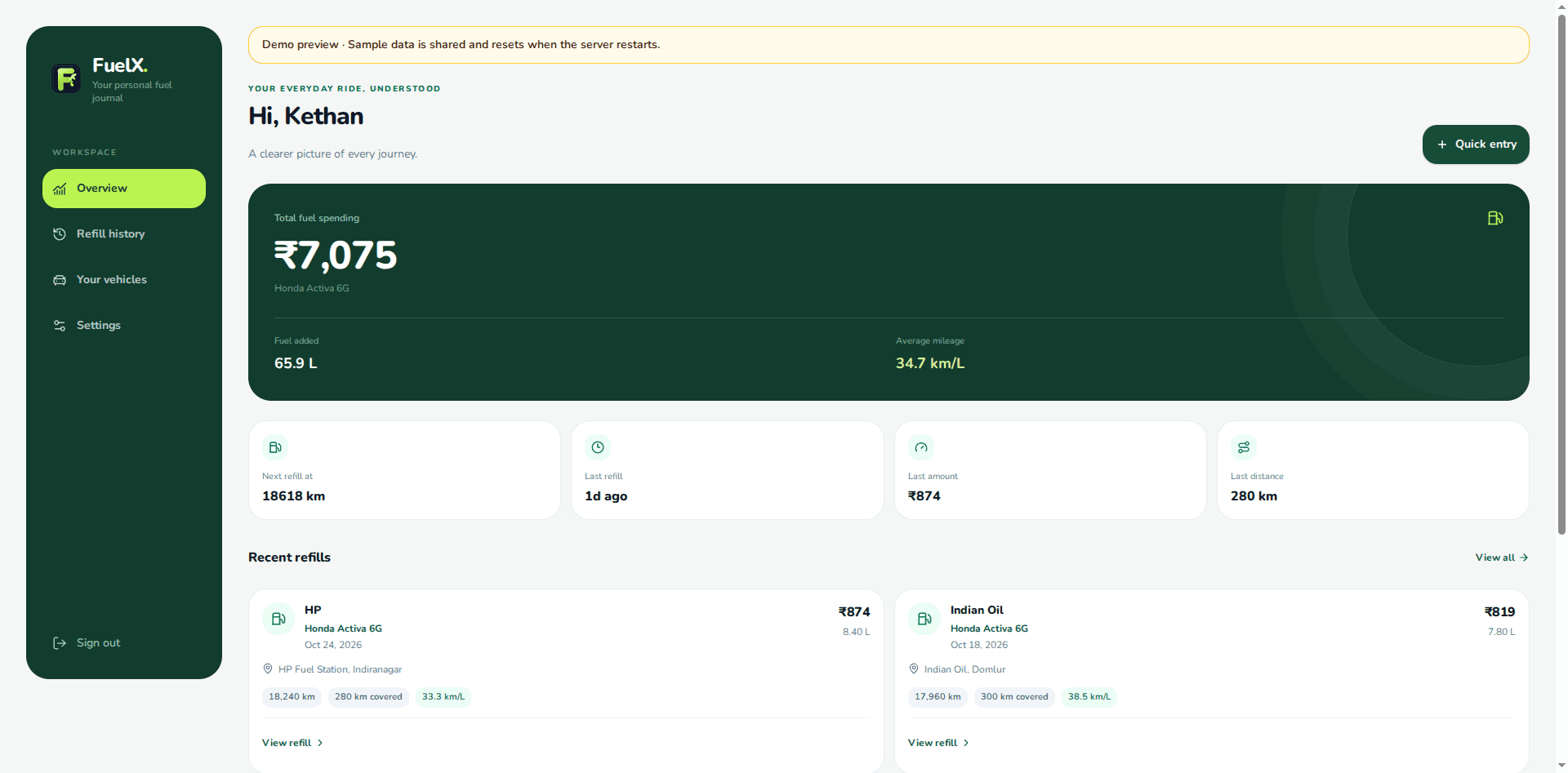
Your refills become spending totals, mileage estimates and a history you can return to.
Useful details, right where you need them.
Add your amount, fuel company and odometer. Your default vehicle and the current time are already there.
See your total spending and each refill in one place. Keep the receipt details without keeping the paper.
Follow the distance between refills and your calculated mileage. Set your own expected mileage for range estimates.
Keep bikes, scooters and cars together, with a separate refill history for each and a default for everyday use.
Yes. Add your bikes, scooters and cars to your garage. Each vehicle keeps its own refill history and mileage. Choose a default vehicle for quick entry.
Enter your amount, fuel company and odometer. FuelX reuses the rate from your last recorded refill for that vehicle and company, and shows it for you to review. Pump rates change, so check it against the receipt. Use full details to enter the current rate whenever needed.
No. You can save a refill without it. When you open your journal, your browser may ask for location access. If you allow it, FuelX can suggest nearby fuel stations from OpenStreetMap. Choose a station only if it is where you refilled.
Mileage is calculated from the odometer distance between refills and recorded fuel volume. Partial fills and reused rates can affect it. Treat range and mileage figures as estimates, and use receipt data for more accurate records.
Yes. Open Account settings to edit your name and profile picture, or manage your email, password, connected sign-in methods and available security options.
Have a question, spotted something, or have an idea for FuelX? We’d like to hear it.
fuelx@teamx.solutionsA note on your data
Account access is managed by Clerk. Your journal is stored in Supabase with access limited to your account. Location is optional; nearby station lookups share coordinates with OpenStreetMap’s Overpass service. Contact messages are delivered to our team through Resend.